
FYI: Everything in the introduction is my own writing; below the line (the “ChatGPT’s Art School Curriculum” section) is a curriculum ChatGPT helped me create. While I used AI to assist with this post, I don’t believe in using it to replace my writing. The goal of this blog is to help me improve as a writer and flesh out my ideas. All content generated with ChatGPT is clearly marked below the line. 🙂
Introduction
I picked up a new passion this week: illustration. Collecting hobbies feels like a hobby itself for me; it’s fun to feel inspired and invigorated by a new passion. I’m a big planner, and part of my hobby collection process is creating a detailed plan for success (a curriculum, if you will). I have other plans like the one I’m sharing today that I’ve worked on in the past. Perhaps one day I’ll post my “reading around the world” plan, guided map and all.
Illustration is the specific practice of taking source text and bringing it to life through art. Illustration seems to be the middle ground between completely generating a concept on your own vs. producing an imitation of someone else’s concept/style. For my whole life, I’ve admired illustrators like Mary Blair, Jeffrey Fulvimari (the illustrator behind The English Roses), and whoever illustrated for Webkinz.com, all without really understanding the immense difficulty behind creating a new world off of static source material. Now that I’m learning more, I’ve been gobbling up content on TikTok/YouTube to really understand what this specialty is all about.
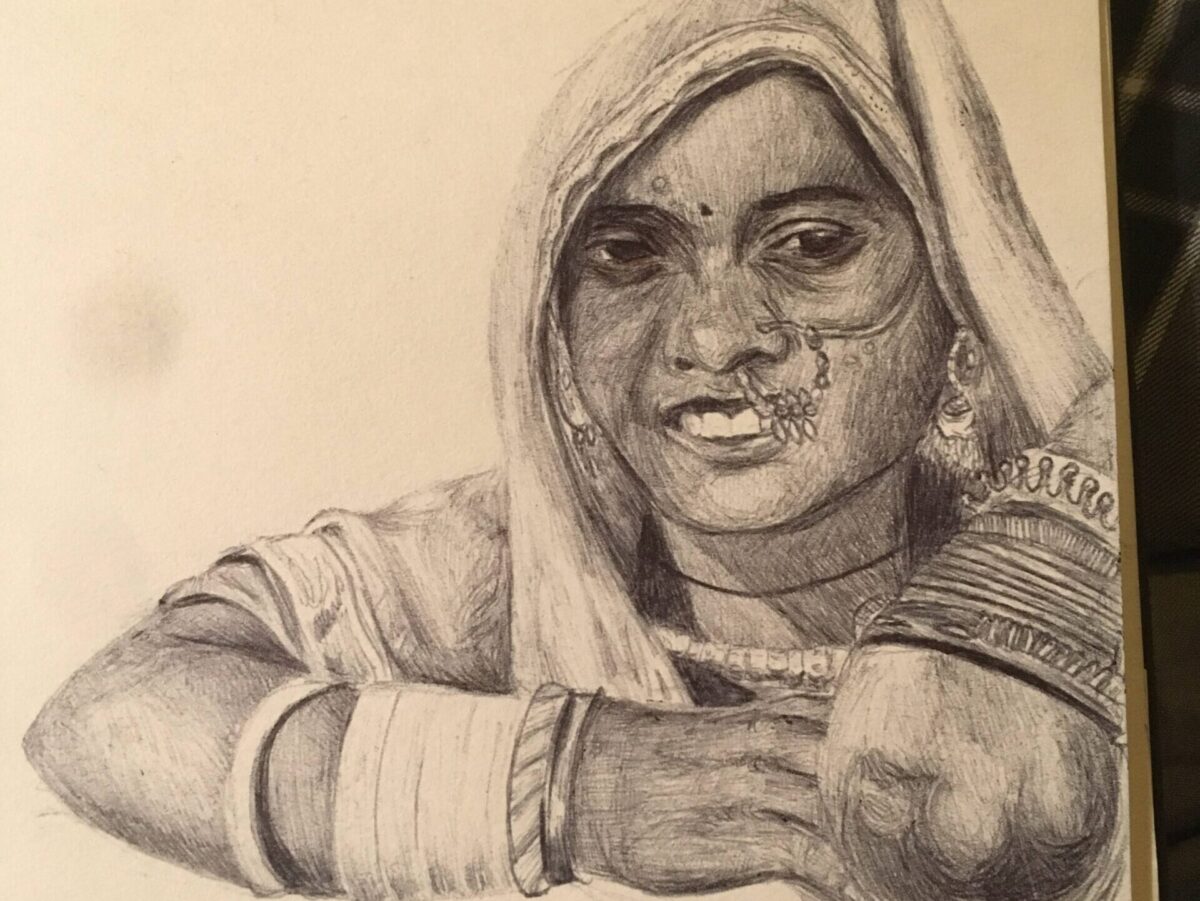
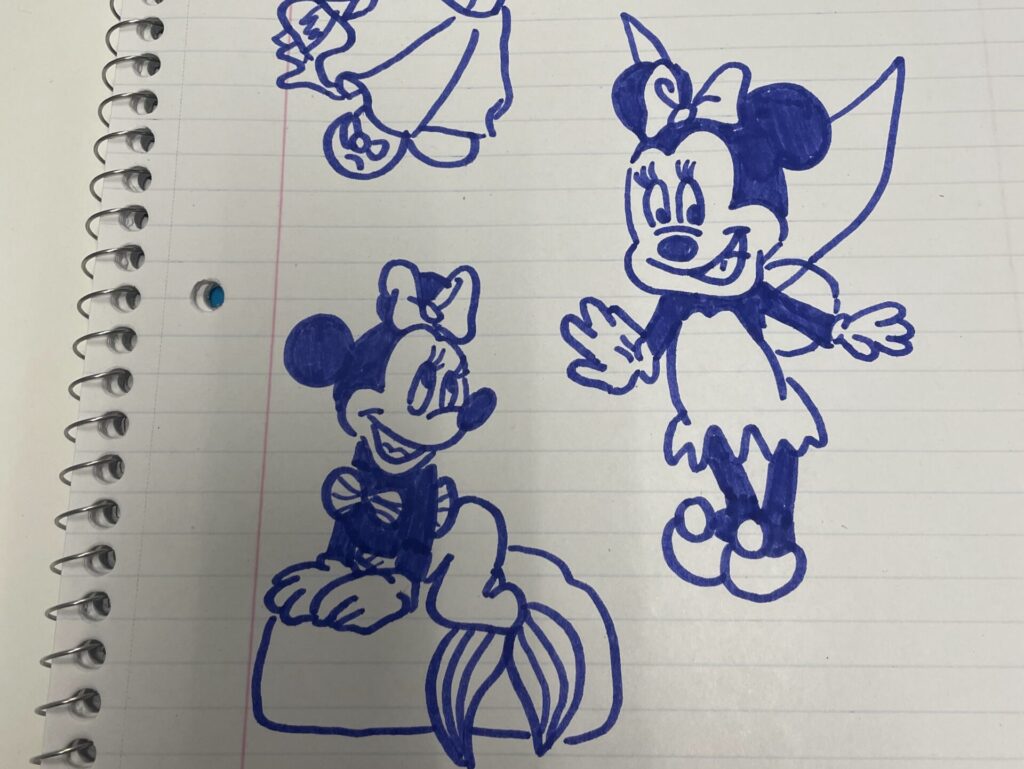
I’ve always been an artist type, from creating storybooks with family friends (mini zines, if you will) to creating elaborate murals for medieval history in middle school. More recently, I’ve been creating ballpoint portraits and inked cartoon characters. The featured photo above is a drawing I did based on a Pinterest reference photo, in black ballpoint pen on sketch paper.
I’ve never been very consistent, and it shows in the lack of work in my (unofficial) portfolio. When I was younger, I had more original ideas but very poor technical skill. I didn’t have the discipline to work at my art; this is not to say that I wasn’t a disciplined kid, that would be an understatement. It was just focused on school instead. I think the lack of artistic discipline and a penchant for overthinking/perfectionism made me scared to pursue art, so I didn’t.
Something seems to have happened over the years. I’m not sure how I did it, but I became more free and loose in my art. This is probably related to the overall theme in my life right now of letting go and accepting imperfection. Or, maybe it’s just that I’m older and have more dexterity now… In my opinion, teenagers generally feel/appear uncomfortable in their own body, and that was probably reflected in my art. I also think the technical art skills needed some time to marinate in my body.
I feel this way with a lot of other things, like dance and cooking. People dance better after letting a new choreography marinate in their body for a few days, and people cook better food after letting their chicken marinate! All good things need to marinate.
That being said, I probably didn’t need to let my art skills marinate for so long. There is such thing as over-marinating your meat (don’t do it!). The meat’s fibers, once tightly organized in a mesh-like structure, begin to break down and turn into mush. The creative side of my brain does feel like a denatured puddle of goo these days; too much perfectionism is a serious hindrance to creative growth. Now, I have way more technical skill than I did as a kid, but I have fewer ideas brewing that I want to execute.
I do think that if I were more disciplined at art sooner, things would have marinated faster and perhaps my creativity wouldn’t have suffered so much. But no matter! There’s no better time to go back to basics and reignite my creativity than now. As you can see in the photos above, I’ve gotten pretty good at copying a reference photo, but this whole illustration idea has me feeling inspired to create and execute my own ideas again. Since school helped kill my artistic streak as a teenager, I think it’s only fit that school should help me get it back.
I watched Kelsey Rodriguez’s video on YouTube about studying art without art school, and it inspired me to take this concept to ChatGPT (primarily because the Notion template Kelsey created doesn’t seem to be public on Notion anymore). I have no desire to quit my day job (I think Austin Kleon from Steal Like an Artist would support me there) and I don’t have the budget/time to pick up a structured course, so I took to AI to help me craft a free art school curriculum to teach myself efficiently (and more importantly, with a budget in mind). Here was my process:
- I prompted ChatGPT to provide me with a four-year curriculum similar to RISD’s Illustration program, with at least one book and online resource per module.
- Next, I asked it to add specialty tracks (with one in illustration).
- Then, I asked it about potentially learning just one software (and what the benefits/disadvantages of using Corel Painter were). I then asked it to modify resources to only use Affinity Photo/Designer (instead of Illustrator/Photoshop).
- Next, I scanned the resulting curriculum and, after finding duplicate resources, asked it for replacements.
- Finally, I asked it to provide overview summaries for each module.
I’m particularly interested in trying out digital art and exploring illustration, so there is a lot of focus on that in the curriculum. Also, I am fundamentally opposed to Adobe’s subscription model for its Creative Suite and am boycotting it, so I put in resources to learn about Affinity Photo/Designer. I also modified ChatGPT’s response and added more YouTube videos and books that I thought could be relevant.
I plan to borrow as many of the books from the library as possible (and I encourage everyone to reap the benefits of their tax dollars by doing the same). However, there are some books that weren’t available at my library, so I added Amazon links for them (affiliate links, see the disclaimer at the top of this post). Without any further ado, here’s the free art school curriculum:
ChatGPT’s Free Art School Curriculum
Year 1: Foundations
1. Drawing Fundamentals
This module is designed for both beginners and intermediate artists who want to strengthen their foundational skills. By focusing on basic shapes, perspective, light and shadow, form, and figure drawing, you’ll improve your technical abilities through structured practice. With daily sketching, gesture drawing, and still life studies, returning to the basics will help you refine your craft and develop a stronger artistic foundation.
- Books:
- Drawing on the Right Side of the Brain by Betty Edwards
- Keys to Drawing by Bert Dodson
- Exercises: Daily sketching, gesture drawing, still life studies.
- Online Courses:
- Drawabox (free online resource for structured practice)
2. Perspective & Environment Design
This module is designed to help you master perspective, whether you’re a beginner or an intermediate artist. You’ll explore 1-point, 2-point, and 3-point perspective, creating depth in your drawings, and working on environment sketches and architectural drawings. Through exercises like drawing environments from observation, creating your own from imagination, and studying architecture, you’ll strengthen your skills in visualizing space and form.
- Books:
- Perspective Made Easy by Ernest R. Norling
- How to Draw by Scott Robertson
- Drawing Perspective by Matthew Brehm
- Exercises: Draw environments from observation, create your own from imagination, study architecture.
- Resources:
- CGMA YouTube Video – could be helpful?
3. Color Theory
This module focuses on mastering color theory and its application in art. You’ll explore the color wheel, color harmony, mixing techniques, and the psychological effects of color. Through exercises like color studies, painting in monochrome, and creating your own color palettes, you’ll develop a deeper understanding of how color can influence mood and composition, enhancing your artistic expression.
- Books:
- Interaction of Color by Josef Albers
- Color and Light: A Guide for the Realist Painter by James Gurney
- The Complete Color Harmony by Leatrice Eiseman
- Exercises: Color studies, painting in monochrome, creating color palettes.
4. Art History & Analysis
This module delves into art history and visual analysis. You’ll study major art movements, key artists, and learn how to analyze visual elements in depth. Exercises include writing essays on artworks and recreating historical pieces in your own style. With online resources for additional context, you’ll develop a richer understanding of how art has evolved and how to critically engage with it in your own practice.
- Books:
- The Story of Art by E.H. Gombrich
- Ways of Seeing by John Berger
- Exercises: Write essays on artworks, recreate historical pieces in your style.
- Online Resources:
- Khan Academy’s Art History Resources
- Smarthistory (YouTube channel and website)
5. Digital Tools
This module introduces the basics of digital illustration using Affinity Designer for vector work and Affinity Photo for raster art. You’ll explore layers, brushes, and workflows between the two programs. Exercises include recreating traditional sketches digitally, creating basic digital paintings, experimenting with vector illustrations, and combining raster and vector techniques. With online resources for tutorials, you’ll develop a strong foundation in digital painting and design using these tools.
- Books:
- Digital Painting Techniques series by 3dtotal Publishing
- Software: Affinity Designer (for vector) and Affinity Photo (for raster)
- Exercises:
- Digital recreations of sketches
- Basic digital paintings using Affinity Photo
- Experimenting with vector-based illustrations using Affinity Designer
- Combining raster and vector techniques in your illustrations (using both Affinity tools together)
- Resources:
- YouTube – Affinity Revolution channel for Affinity Photo digital painting tutorials
- Color Theory + Digital Painting YouTube Video
6. Design Principles
This module focuses on the core principles of graphic design, including balance, contrast, emphasis, rhythm, and unity. You’ll apply these concepts through exercises that involve creating simple compositions. With additional online courses available, you can deepen your understanding of how design elements work together to create effective visuals.
- Books:
- The Elements of Graphic Design by Alex W. White
- Picture This: How Pictures Work by Molly Bang
- Exercises: Create simple compositions using design principles.
- Online Courses:
Year 2: Intermediate Studies
1. Anatomy & Figure Drawing
This module focuses on mastering figure drawing and human anatomy. You’ll study muscle structure, proportions, and dynamic poses, deepening your understanding of how the body moves. Exercises include life drawing, anatomy studies, and drawing from reference to strengthen your ability to capture the human form with accuracy and expression.
- Books:
- Figure Drawing for All It’s Worth by Andrew Loomis
- Anatomy for Sculptors: Understanding the Human Figure by Uldis Zarins with Sandis Kondrats
- Figure Drawing Methods for Artists by Peter Boerboom
- Exercises: Life drawing, anatomy studies, drawing from reference.
2. Character Design
This module focuses on character design, including anatomy, personality, and costume design. You’ll learn to create original characters through exercises like developing turnarounds and expression sheets. With additional online resources to enhance your understanding of character design principles, you’ll refine your ability to bring unique and expressive characters to life.
- Books:
- Creating Characters with Personality by Tom Bancroft
- Drawn to Life: 20 Golden Years of Disney Master Classes by Walt Stanchfield
- Exercises: Develop original characters, turnarounds, expression sheets.
- Resources:
- Good Vs. Bad Character Design – YouTube Video
- Costume Design – YouTube Video
3. Advanced Digital Painting
- Topics:
- Advanced Brush Techniques: Creating and using custom brushes for texture, fine details, and artistic effects.
- Painting Realism: Deep dive into rendering realistic textures such as skin, fur, and fabric.
- Lighting & Atmosphere: Using light sources, shadows, and reflections to enhance depth and mood.
- Color Palettes & Mood: Working with advanced color theory to create a consistent mood and emotional tone in your paintings.
- Composition & Depth: Techniques for creating strong, dynamic compositions with effective use of perspective and focal points.
- Software: Affinity Photo
- Books:
- Digital Painting Techniques Volume 2 by 3dtotal Publishing (focusing on intermediate and advanced painting techniques)
- Mastering Drawing the Human Figure by Jack Faragasso (for better anatomy and figure painting, which applies directly to digital work)
- Resources:
- YouTube Course I Found
- Clean Line Art – YouTube Video
4. Composition & Storytelling
This module emphasizes composition techniques and visual storytelling. You’ll explore how to guide the viewer’s eye and create compelling narratives through storyboard sequences and illustrated stories. With additional online resources to support your learning, you’ll develop a strong foundation in crafting visual narratives and mastering composition.
- Books:
- Framed Ink by Marcos Mateu-Mestre
- The Visual Story by Bruce Block
- Exercises: Storyboard sequences, illustrated narratives.
- Resources:
- Storytelling With Light – YouTube Video
- How To Build A Fictional World – YouTube Video
Year 3: Advanced Techniques & Specialization
1. Illustration Techniques
This module covers advanced techniques in mixed media, inking, and editorial illustration. You’ll work on creating illustrations for hypothetical clients and refining your personal style. With additional online resources to guide you, you’ll enhance your skills in producing professional-quality illustrations and developing a unique artistic voice.
- Books:
- The Art of Illustration by Henry Blackburn
- Exercises: Create illustrations for hypothetical clients, refine style.
- Resources:
- Shoo Rayner Drawing – YouTube Videos
2. Concept Art
This module focuses on conceptualization, world-building, and visual development. You’ll design worlds, vehicles, and creatures for a fictional project, honing your skills in creating immersive and imaginative environments. With resources to guide your learning, you’ll develop the ability to bring complex concepts to life through detailed and creative visual design.
- Books:
- How to Render by Scott Robertson
- The Art of Game Design: A Book of Lenses by Jesse Schell
- The Art and Flair of Mary Blair by John Canemaker
- Exercises: Design worlds, vehicles, and creatures for a fictional project.
3. Portfolio Development
This module focuses on building a cohesive body of work and effective self-promotion. You’ll assemble a professional portfolio tailored to specific industries and gain insights into showcasing your art career. With additional resources to guide you, you’ll develop the skills needed to present your work professionally and advance your artistic career.
- Books:
- Creative Illustration by Andrew Loomis
- Art/Work: Everything You Need to Know (And Do) As You Pursue Your Art Career by Heather Darcy Bhandari and Jonathan Melber
- Exercises: Assemble a professional portfolio, tailor it to specific industries.
- Resources:
- Creating A Picture Book Portfolio – YouTube Video
4. Business of Art
This module covers key aspects of starting and managing a freelance illustration career. Topics include freelancing fundamentals, contracts, pricing, and networking. You’ll develop a mock business plan and practice pitching projects. Additional resources will help you navigate the freelance landscape and build a successful career in illustration.
- Books:
- The Creative’s Guide to Starting a Business by Harriet Kelsall
- Breaking into Freelance Illustration by Holly DeWolf
- Exercises: Create a mock business plan, pitch projects.
- Resources:
- Freelance Illustration – YouTube Video
5. Final Capstone Project
- Project: Create a comprehensive illustrated project (e.g., a graphic novel, a series of illustrations for a book).
- Presentation: Prepare and present your project as if to a client or gallery.
Year 4: Mastery & Specialization
Specialization Tracks
The idea here is to pick one specialization and focus on that. Or, if you’re interested in everything like me, you try everything and see what sparks the most joy.
1. Editorial Illustration
This module focuses on creating illustrations for magazines, newspapers, and books. You’ll work on mock editorial pieces and refine your unique voice and style. With resources to guide your learning, you’ll develop skills in producing impactful illustrations tailored for various editorial contexts.
- Books:
- Illustrations Now! by Julius Wiedemann
- Becoming a Successful Illustrator by Derek Brazell
- Exercises: Create mock editorial pieces, refine your voice and style.
- Resources:
2. Concept Art & Visual Development
This module is centered on designing characters, environments, and props for video games, movies, or animation. You’ll develop a world or game concept and work on speculative projects to enhance your design skills. With online courses to support your learning, you’ll build expertise in creating compelling and imaginative visual elements for interactive media.
- Books:
- The Skillful Huntsman by Scott Robertson, Mike Yamada, Felix Yoon
- Exercises: Develop a world or game concept, work on speculative projects.
- Online Courses:
- FZD School – YouTube Channel (Concept Design)
3. Character Design
This module is focused on creating compelling and unique characters for various media. You’ll design a character lineup for an animated show and create detailed character sheets to showcase your work. Through these exercises, you’ll develop the skills needed to craft memorable characters for animation, video games, and more.
- Books:
- Character Mentor by Tom Bancroft
- Designing Creatures and Characters: How to Build an Artist’s Portfolio for Video Games, Film, Animation and More by Marc Taro Holmes
- Exercises: Design a character lineup for an animated show, create detailed character sheets.
4. Children’s Book Illustration
This module focuses on creating illustrations for children’s literature. You’ll illustrate a children’s story, ensure character consistency, and create a dummy book to develop your skills. With additional resources to guide you, you’ll gain insights into crafting engaging visuals that enhance storytelling for young readers.
- Books:
- Writing with Pictures: How to Write and Illustrate Children’s Books by Uri Shulevitz
- Illustrating Children’s Books by Martin Salisbury
- Exercises: Illustrate a children’s story, work on character consistency, create a dummy book.
- Resources:
- 5 Tips for New Illustrators – YouTube
- Anatomy of a Picture Book – YouTube
5. Graphic Novels & Comics
This module focuses on writing and illustrating sequential art for graphic novels or webcomics. You’ll write and illustrate a short comic, experiment with page layouts, and work on inking and lettering. With additional resources to guide you, you’ll develop skills in crafting compelling narratives and dynamic visuals for your comic projects.
- Books:
- Making Comics by Scott McCloud
- Understanding Comics: The Invisible Art by Scott McCloud
- Exercises: Write and illustrate a short comic, experiment with page layouts, work on inking and lettering.
- Resources:
- Creating Watercolor Comics – YouTube
6. Product & Surface Design
This module focuses on designing patterns and illustrations for products such as textiles, wallpapers, and stationery. You’ll create a series of surface patterns, develop mockups for various products, and explore licensing opportunities. With additional resources to assist you, you’ll gain skills in designing versatile patterns that can be applied across a range of products.
- Books:
- Print & Pattern by Bowie Style
- Ophelia Pang’s Interactive Art Book
- Exercises: Create a series of surface patterns, work on mockups for products, explore licensing opportunities.
- Resources:
- Surface Design w/ Affinity Designer – YouTube
7. Fine Art Illustration
This module focuses on merging fine art techniques with illustration for galleries, prints, and personal projects. You’ll develop a personal body of work, experiment with various mediums, and prepare for gallery exhibitions. With resources to guide you, you’ll learn how to blend traditional and digital approaches to create compelling artworks.
- Books:
- The Artist’s Way by Julia Cameron
- Exercises: Develop a personal body of work, experiment with different mediums, prepare for gallery exhibitions.
- Resources:
- Making Digital Paintings Look Traditional – YouTube
- How to Make Traditional Art Digital – YouTube (basically the other way around, if you want to stick to traditional)
Additional Year 4 Activities
1. Industry Projects
- Books: Art Inc.: A Comprehensive Guide to Building Your Creative Career by Lisa Congdon
- Topics: Real-world projects, working with clients, collaboration.
- Exercises: Take on freelance projects, collaborate with other creatives.
2. Art Critique & Mentorship
- Activities: Seek feedback from professionals, participate in online critique groups.
- Exercises: Regularly refine and iterate on work based on critiques.
- Online Resources:
- Proko Community – Online Critique Groups
- ArtStation and DeviantArt for sharing work and receiving feedback.
3. Continuous Learning & Networking
- Activities: Attend workshops, conferences, and industry events.
- Exercises: Keep learning new software, trends, and techniques.
- Resources: Follow industry leaders on social media, participate in online forums like ArtStation.
4. Launch Your Career
- Project: Launch your online presence, build a network, start applying for jobs or pitching projects.
- Presentation: Prepare a final portfolio and present it to potential clients or employers.
Online Platforms: Behance, ArtStation, Instagram, LinkedIn.
And there we have it. I hope this was useful! I’ll probably keep updating this post as I progress through this curriculum and add more notes. Have a great day and SLAY always. 🙂